Start from the Excel budget you already have
Upload your spreadsheet, check that the columns line up, and your budget is in. Cost codes like 02 and 06 stay exactly as you wrote them.

Built for general contractors
PaperForeman gathers bids from your email and texts, files each one under the right job, and keeps every budget current.
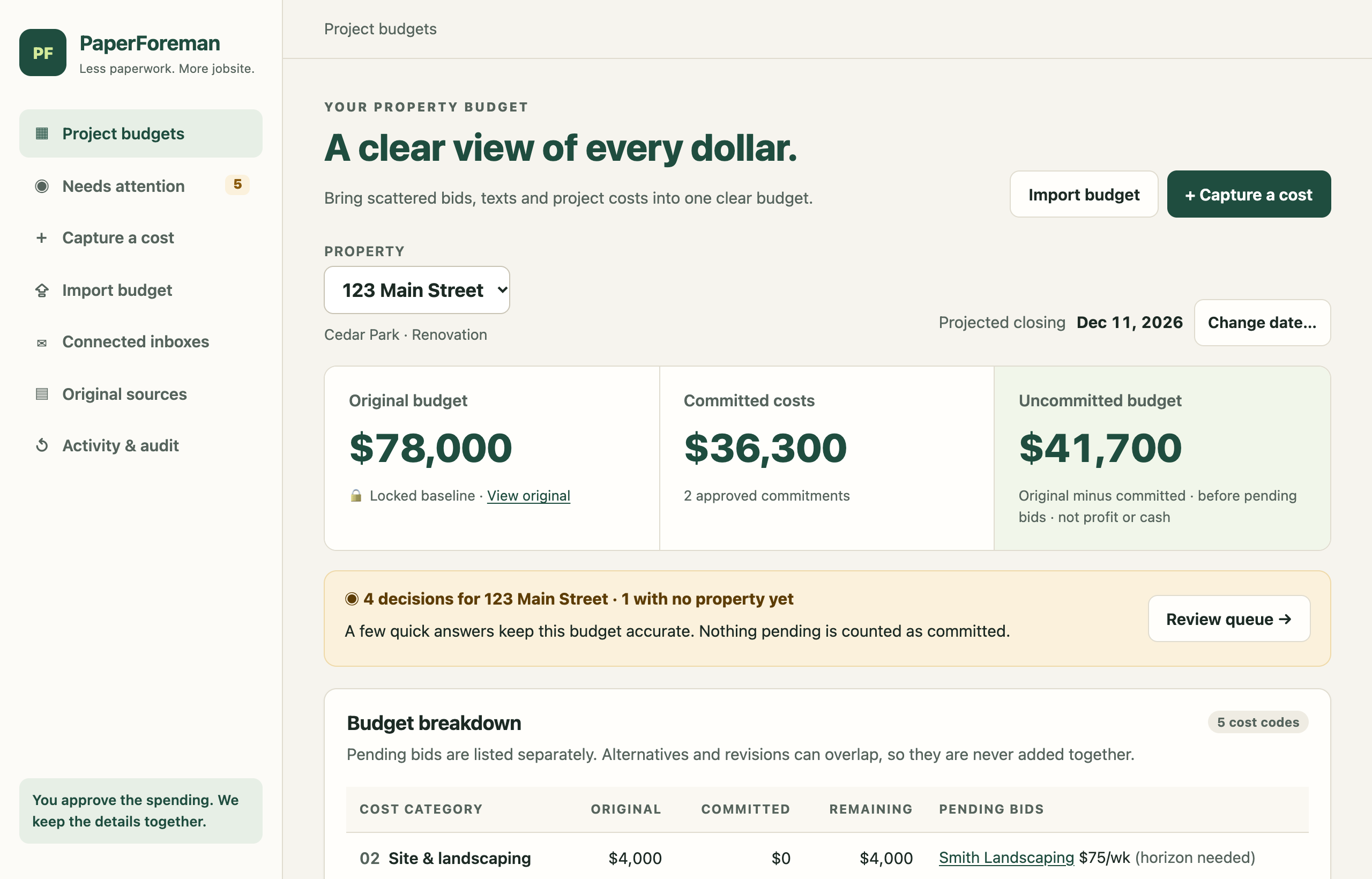
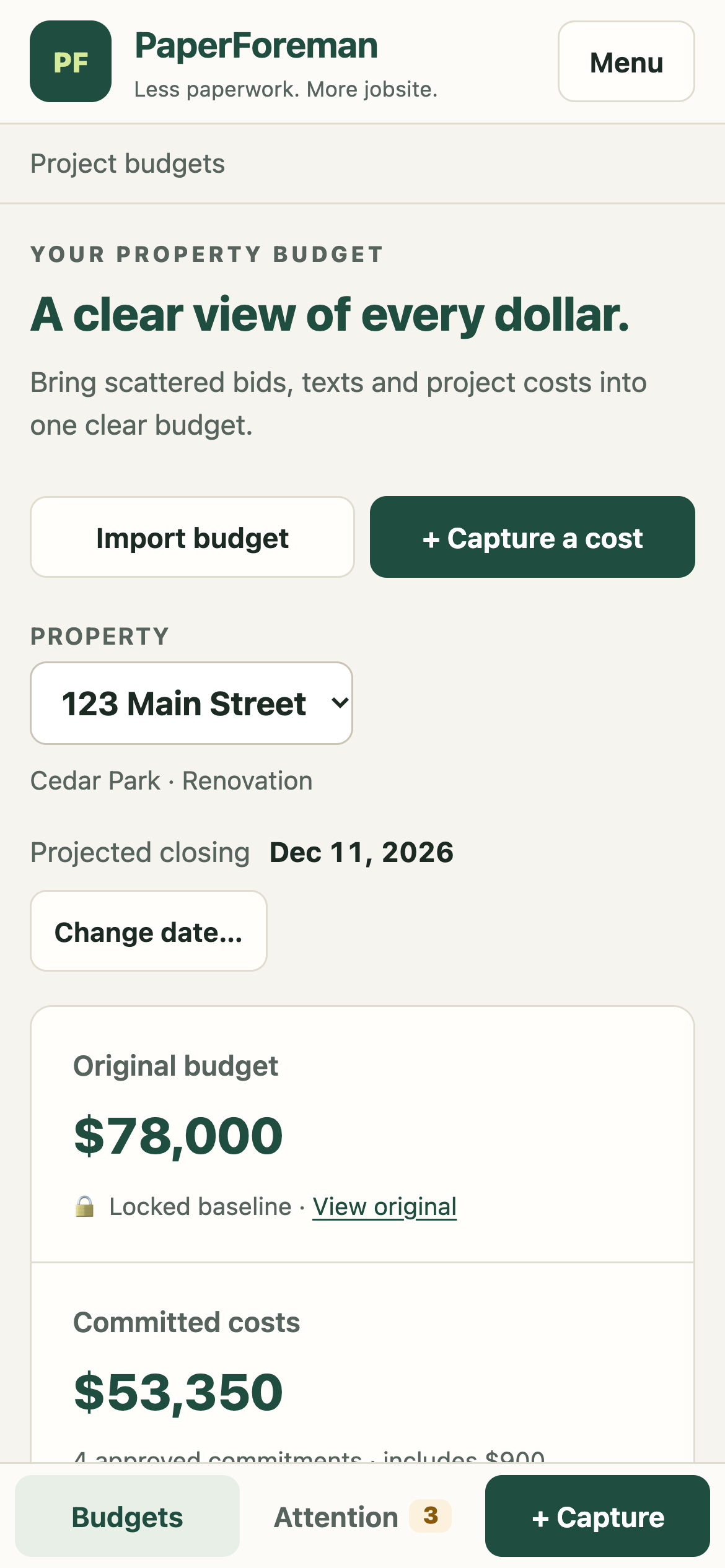
You run three jobs at once. The numbers for each one are scattered across your inbox, your phone and a spreadsheet back at the office.
How it works
Follow one real bid through PaperForeman. It takes about as long as reading a text message.
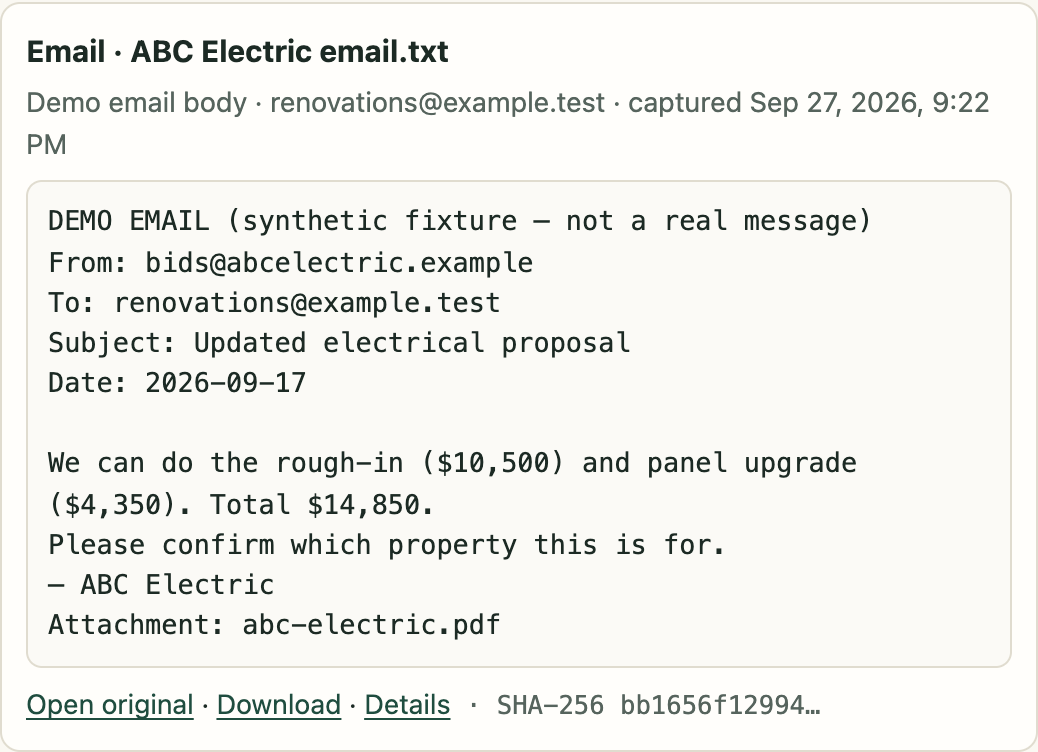
ABC Electric emails a quote for $14,850 with a PDF attached. PaperForeman picks it up from your inbox and saves the email and the PDF exactly as they came.
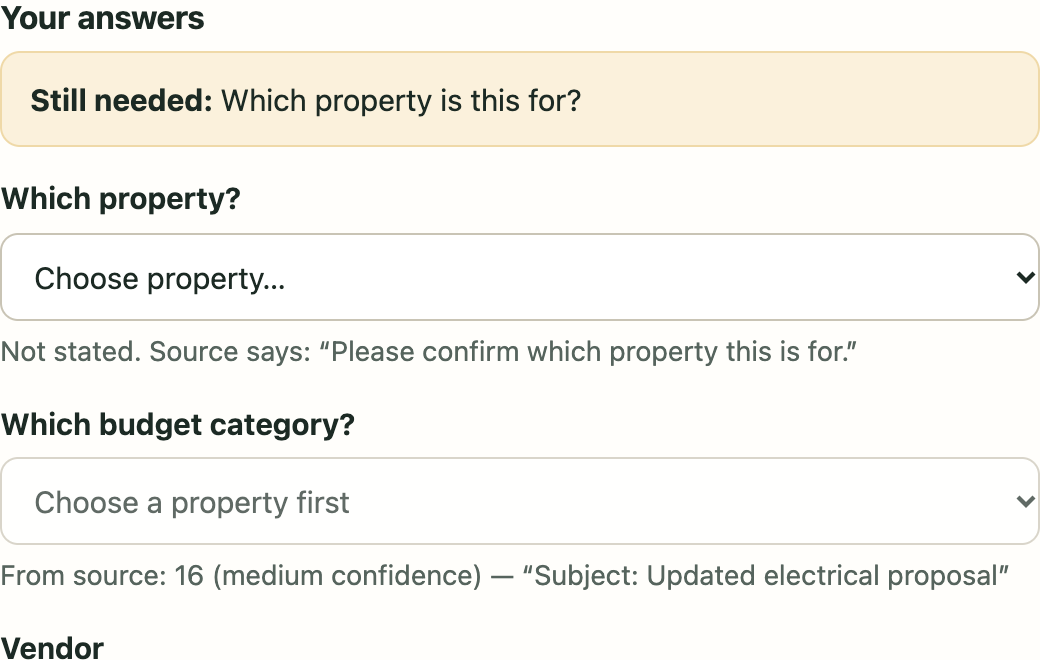
The amount and the trade are filled in for you. The email never says which house, so PaperForeman asks one plain question instead of guessing.
"Which property is this for?"
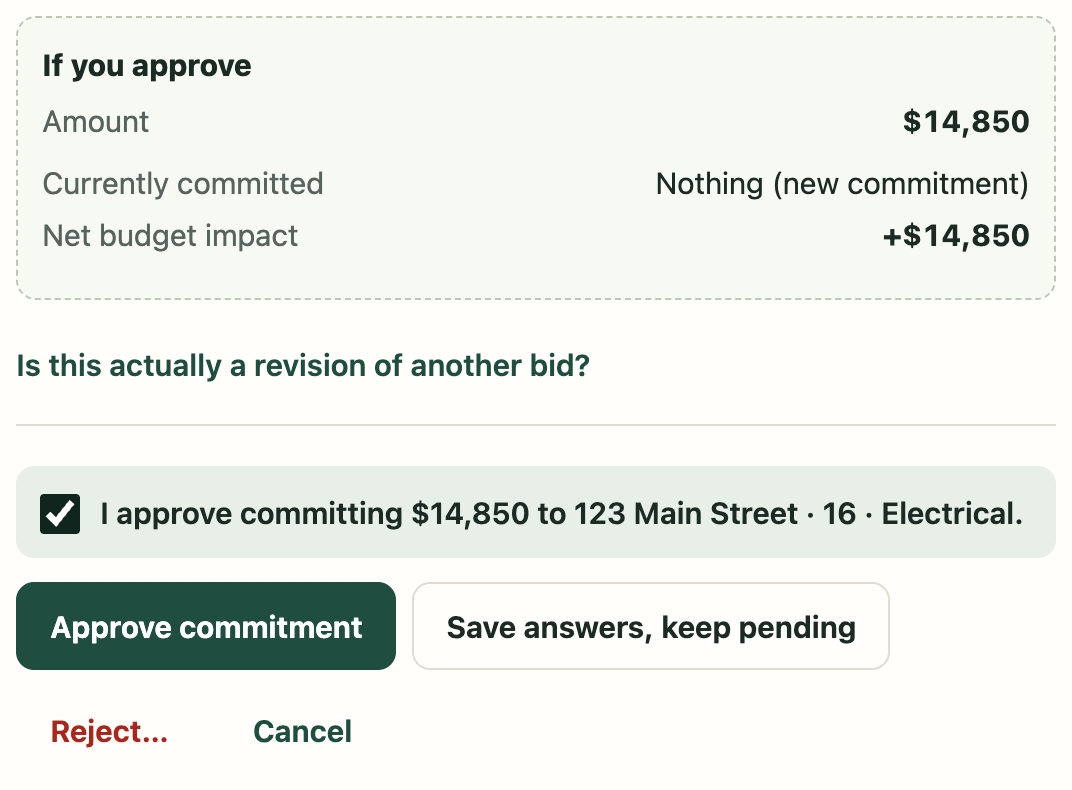
Before you say yes, you see exactly what the bid adds to the job. Nothing counts toward your budget until you tick the box and tap Approve.
Original budget, what you've committed, and what's left. Every property, always current, without retyping a number.

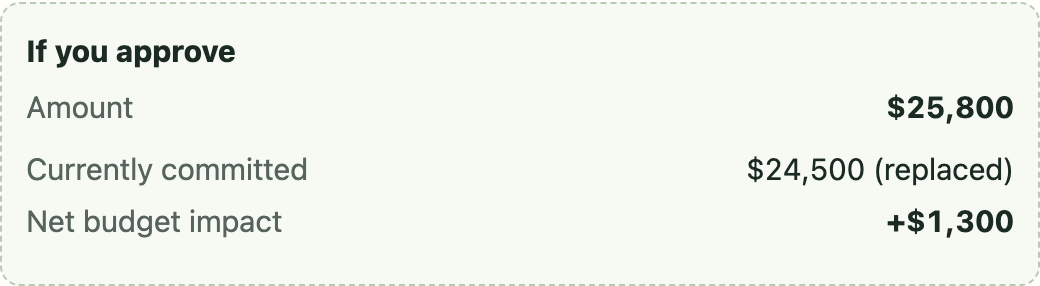
When your framer sends a revised number, PaperForeman lines it up with the first bid. Approve it, and the budget moves by the difference only.
$25,800 newminus $24,500 old= +$1,300
The first bid stays on file, marked as replaced, so you can always see how the price changed.

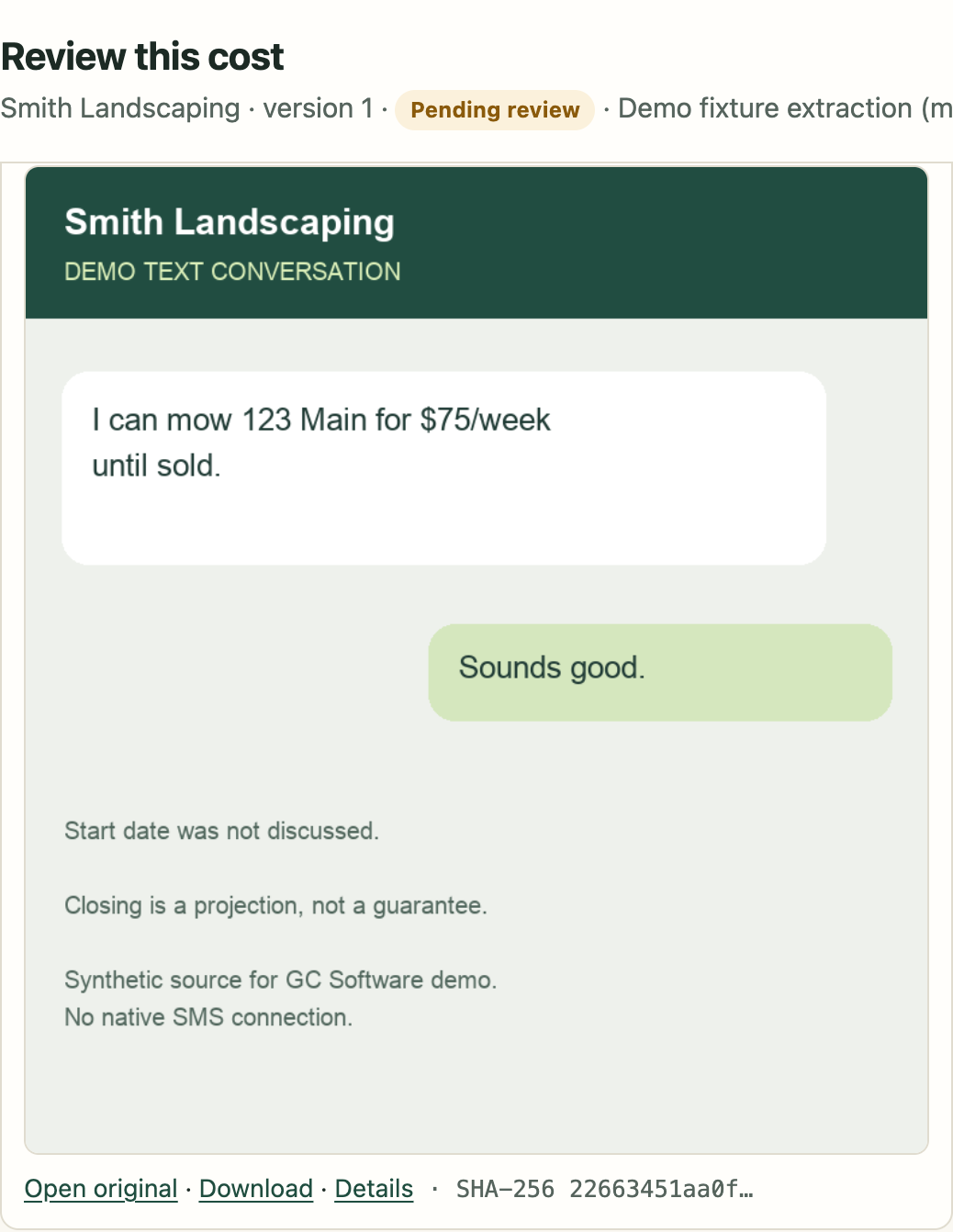
"I can mow 123 Main for $75 a week until sold."
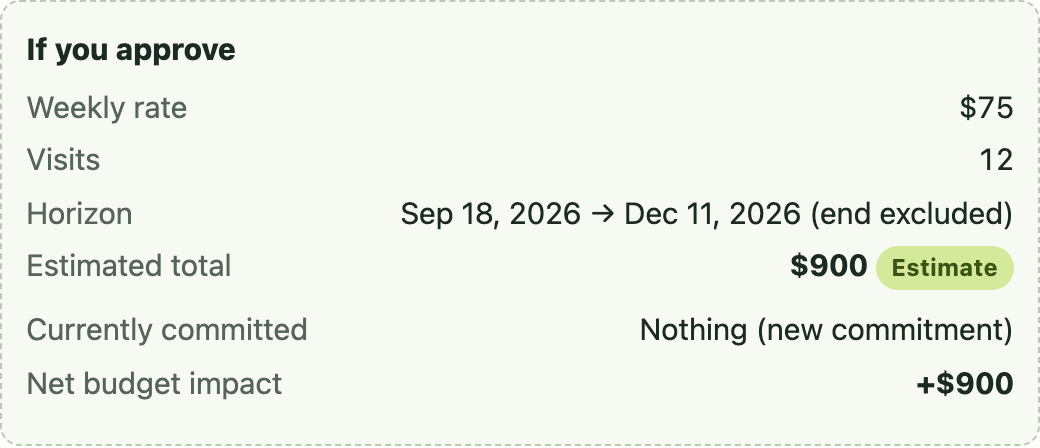
Save the screenshot or type a quick note. PaperForeman asks when the work starts and how long to budget for it, then shows the math.
$75 a week× 12 weeks= $900 estimated
Push the closing date back a week and it shows the new total, 13 weeks and $975, before anything changes.
Everything in one place
Upload your spreadsheet, check that the columns line up, and your budget is in. Cost codes like 02 and 06 stay exactly as you wrote them.
Every question and approval works on your phone. Clear a few bids between walkthroughs.

Two painters quoted the same job? Both show under Finishes. They are never added together.

Change the date and PaperForeman shows every weekly cost that moves with it, before you confirm.

Emails, PDFs, screenshots and spreadsheets are saved exactly as they arrived. Every number links back to its document, and every approval is on record with who and when.

Runs in your web browser. Nothing to install on the office computer, and nothing to update.
Questions
No. If you can read an email and tap a button on your phone, you can use PaperForeman. It asks plain questions like "Which property is this for?" and shows you the answer before anything changes.
No. Bids that arrive by email are picked up for you. For a text, a photo or a deal made on site, save a screenshot or type a quick note. You can also talk into your phone's keyboard microphone instead of typing.
No. PaperForeman keeps track of bids and what you've agreed to spend. Payments, invoices and payroll stay where they are today.
No. QuickBooks stays your books. PaperForeman covers the part before the bills: which bids came in, which one you picked, and what's left in each budget.
It only reads, to find bids. It never sends, replies to or deletes anything, and you can disconnect it at any time from your Google or Microsoft account.
Yes. PaperForeman runs in the web browser on Windows PCs and Macs (Chrome, Edge, Safari or Firefox), and on iPhone and Android phones.
PaperForeman is in early access. Add your name below and we'll set you up as spots open.
Tell us a little about your jobs. We're opening PaperForeman to a small group of contractors first.
We'll email you when your spot opens. Questions in the meantime? Email
wade@toddcreekcapital.com